
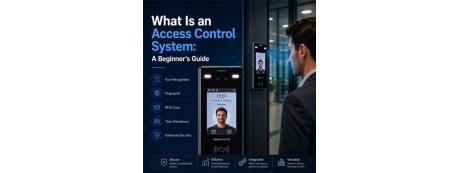
An access control system is a security solution that manages and restricts entry to a physical space — replacing lose-prone metal keys with credentials you can issue, track, and revoke in seconds. This guide explains exactly what these systems are, how they work, the types available, and how to choose the right one for your premises.
Securing your physical space is just as important as protecting your digital data. Whether it's an office, school, hospital, factory, or residential building, knowing who can enter and when is critical for safety, compliance, and day-to-day efficiency. That is where access control systems come in. These modern security solutions let you manage entries to buildings, rooms, or specific zones without depending on traditional keys — and they give you a permanent, searchable record of every door event.
In this beginner's guide, Gulfsafes — Saudi Arabia's top supplier of access control systems and time attendance card systems since 2008 — walks you through everything you need to know before choosing a system for your premises, from the core hardware to the access models that decide who gets in.
Key Takeaways
- An access control system grants or denies physical entry by verifying a credential (card, PIN, fingerprint, or mobile) against stored permissions — and logs every attempt.
- The main types are biometric, RFID (card-based), keypad/PIN, mobile & cloud-based, multi-factor authentication (MFA), and specialized systems.
- Every system is built from the same core parts: a credential, a reader, a controller, a locking mechanism, and management software.
- Access models (DAC, MAC, RBAC, ABAC) determine how permissions are assigned and scaled across an organization.
- Core benefits: enhanced security, real-time access tracking, role-based permissions, no physical keys, remote management, and easy integration with CCTV, alarms, fire detection, and time attendance.
- Gulfsafes has supplied access control and time attendance systems across Saudi Arabia (KSA) since 2008, with branches in Riyadh, Jeddah, and Al Khobar.
What You'll Learn in This Guide
- What an access control system is
- The core components that make up every system
- Where access control systems are used
- The benefits of access control systems
- How an access control system works, step by step
- The types of access control systems
- Access control models (DAC, MAC, RBAC, ABAC)
- Access control vs. time attendance
- How to choose the right system — and what it costs
- Installation, maintenance, and cybersecurity best practices
- Where to buy and the popular brands of access control systems in Saudi Arabia
What Is an Access Control System?
An access control system is a security solution that controls who can enter or exit a specific area, ensuring maximum security on the premises and preventing unauthorized access. These systems are placed at the entrances of buildings, rooms, or facilities, and they grant or deny access permission when someone tries to enter the area. Access granting is based on assigned permissions: if the system verifies that a person's credentials match the authorized data, access is allowed. This ensures that only authorized personnel can enter and exit certain areas.
Access control systems come in various types — such as biometric, RFID, keypad, and more — but they all share the same goal: to tie every entry to a verified identity. Instead of trusting a physical key that anyone could copy or lose, an access control system links each door event to a known person and keeps a permanent, auditable record of it. Whether you're securing a single door or an entire network of buildings, these systems offer a smarter, safer, and more efficient way to control physical access, secure sensitive spaces, and monitor entry activity in real time.
The Core Components of an Access Control System
Before choosing a system, it helps to understand the five building blocks that work together behind every door. Knowing these parts makes it far easier to compare products and plan an installation that scales.
- The credential — what the user presents to prove identity: an RFID card or key fob, a PIN, a fingerprint or face scan, or a mobile credential on a smartphone.
- The reader — the device mounted at the door that captures the credential. This can be a card reader, a keypad, or a biometric reader that scans a fingerprint, face, or iris.
- The controller (control panel) — the "brain" that receives the credential data, checks it against stored permissions, and decides whether to unlock the door. It is the component that enforces your security policy.
- The locking mechanism — the electronic lock, magnetic lock (maglock), or electric strike that physically secures the door and releases when access is granted.
- The management software — the dashboard (on-premise or cloud-based) where administrators enroll users, set permissions, monitor activity, pull reports, and revoke credentials instantly.
The quality of an access control system is determined by how well these components communicate. A reliable controller and a well-designed software platform are what turn a simple electric lock into a genuine, manageable security solution.
Where Are Access Control Systems Used?
Access control systems are used across a wide range of industries to enhance security, monitor movement, and manage who can access different areas. Whether it's a single office door or a large facility with multiple entry points, these systems provide the flexibility and control needed to keep spaces secure. Common environments include:
- Corporate Offices — secure entrances, server rooms, and executive floors.
- Educational Institutions — protect students and restrict access to labs and dormitories.
- Healthcare Facilities — control entry to wards, pharmacies, and patient-record rooms.
- Warehouses and Industrial Units — safeguard inventory zones and hazardous areas.
- Retail Stores and Shopping Malls — manage staff-only areas and stockrooms.
- Banks and Financial Institutions — secure vaults, cash rooms, and data centers.
- Government Buildings — enforce clearance levels across restricted zones.
- Residential Complexes and Hotels — control gates, lobbies, and guest rooms.
- Event Venues and Stadiums — manage crowd flow through turnstiles and ticketed gates.
Benefits of an Access Control System
Access control systems offer a smarter, more secure way to manage who can enter specific areas of your facility. They protect people, data, and assets while giving you complete control over access permissions in your organization. Here are the key benefits you gain by installing access control systems on your premises:
- Enhanced Security — Offer 24/7 access control that prevents unauthorized access and reduces both external and internal threats. Restrict access to hazardous or sensitive areas and secure storage rooms, server areas, and inventory zones.
- Access Tracking — Keep accurate logs of who enters or exits, when, and where. The system raises real-time alerts or instant notifications for denied access or unusual activity.
- Role-Based Access Levels — Assign permissions based on roles, departments, or schedules, and automate guest access with temporary credentials.
- No Need for Physical Keys — Eliminate the risks of lost or copied keys; revoke a credential instantly instead of changing every lock.
- Remote Management — Control and monitor access from anywhere using cloud-based systems.
- Easy Integration — Connect with CCTV, alarm systems, fire detection, and time attendance for a unified security ecosystem.
- Employee Accountability — Track movement to promote responsible behavior and resolve disputes with hard data.
- Touchless Options — Use mobile apps, QR codes, or facial recognition for hygienic, contactless entry.
- Lower Long-Term Cost — Avoid the recurring expense and disruption of re-keying locks every time staff change, keys go missing, or a tenant moves out.
How an Access Control System Works
Here's a simplified, step-by-step look at how an access control system functions from the moment someone approaches a door:
- User presents a credential — This credential could be a smart card, PIN, fingerprint, or mobile device.
- Reader scans the credential — The biometric or card reader placed at the entrance reads the input and sends the data to the control panel or access management software.
- System checks authorization — The system compares the input against stored access permissions and user profiles.
- Access is granted or denied — If the credentials match, the door unlocks. If not, access is denied and the attempt is recorded.
- Action is logged — Every access attempt is logged for real-time monitoring, auditing, and reporting purposes.
This entire sequence happens in a fraction of a second. The power of the system is in that final step: because every event is captured, you gain a complete audit trail showing exactly who went where, and when — invaluable for investigations, compliance, and resolving disputes.
Types of Access Control Systems
Access control systems come in various forms, each offering different levels of security, convenience, and management capability. Understanding the types of access control systems will help you choose the right system for your facility.
Biometric Access Control
Uses unique physical features such as fingerprints, facial recognition, or iris scans to authenticate users. It offers a very high level of security because these credentials are nearly impossible to duplicate, lose, or share, and they can't be passed from one person to another the way a card can.
Best for: Data centers, government offices, high-security zones
RFID (Card-Based) Access Control
This system uses contactless cards or key fobs together with RFID readers. Users simply tap to gain entry, making it fast and convenient. Lost cards are easily deactivated and reissued, and access control cards can be printed in-house and branded with your organization's logo. It is the most popular choice for organizations that need to manage many users cost-effectively.
Best for: Schools, offices, healthcare facilities, apartment buildings
Keypad / PIN-Based Access Control
Users enter a PIN code to unlock doors. It's simple, cost-effective, and doesn't require physical cards or enrollment. For higher security, PINs can be combined with a card or biometric so that a shared or guessed code alone isn't enough to gain entry.
Best for: Small offices, server rooms, restricted internal areas
Mobile & Cloud-Based Access Control
Allows access through smartphones using apps or QR codes and enables remote access management via cloud platforms. Administrators can grant or revoke entry from any location, in real time — ideal for businesses that need to oversee several sites without being physically present. Because the credential lives on a phone people rarely lose or share, mobile access also reduces credential-related security gaps.
Best for: Multi-location businesses, modern workplaces, shared office spaces
Multi-Factor Authentication (MFA)
Combines two or more methods (for example, card + PIN, or fingerprint + mobile) for added security, so a single compromised credential is not enough to gain entry. MFA is the standard for any door protecting high-value assets, sensitive data, or regulated environments.
Best for: Financial institutions, research labs, regulated industries
Specialized Systems
Includes vehicle access control (license-plate recognition), elevator access control, and turnstile integration for large premises or gated facilities. These systems extend access control beyond the standard door to manage parking, floor-by-floor lift access, and high-volume pedestrian flow.
Best for: Corporate buildings, residential complexes, parking management
Access Control Types at a Glance
| Type | How Users Authenticate | Security Level | Best For |
|---|---|---|---|
| Biometric | Fingerprint, face, or iris | Very High | Data centers, government, high-security zones |
| RFID / Card-Based | Tap card or key fob | Medium–High | Schools, offices, healthcare, apartments |
| Keypad / PIN | Enter a PIN code | Medium | Small offices, server rooms |
| Mobile & Cloud | Smartphone app or QR code | Medium–High | Multi-location and modern workplaces |
| Multi-Factor (MFA) | Two or more methods combined | Very High | Banks, research labs, regulated industries |
| Specialized | License plate, turnstile, elevator | Varies | Parking, gated and corporate facilities |
Access Control Models: How Permissions Are Assigned
The type of system decides how a person proves their identity; the access control model decides what they're allowed to do once verified. Understanding these models helps you plan a system that stays manageable as your organization grows.
- Discretionary Access Control (DAC) — The owner of a resource decides who gets access. It's flexible and simple but harder to govern at scale, since permissions are granted door by door, person by person.
- Mandatory Access Control (MAC) — Access is governed by strict, centrally defined security classifications (clearance levels). Common in government and defense, where rules cannot be overridden by individual users.
- Role-Based Access Control (RBAC) — Permissions are tied to job roles rather than individuals. A new "warehouse staff" employee automatically inherits the right doors; change roles, and access updates instantly. This is the most popular model for businesses because it scales cleanly.
- Attribute-Based Access Control (ABAC) — The most granular model. Access depends on a combination of attributes — role, time of day, location, department, and more — so you can enforce rules like "contractors may enter only the ground floor, only on weekdays, between 8 a.m. and 5 p.m."
For most offices and institutions, RBAC offers the best balance of security and simplicity. Higher-security or multi-tenant sites often layer in ABAC rules for fine-grained control.
Access Control vs. Time Attendance: What's the Difference?
People often confuse access control with time attendance, because the two frequently share the same hardware. The difference is in their purpose. An access control system decides who can enter a space and when, locking and unlocking doors based on permissions. A time attendance system records when employees clock in and out, feeding accurate data into payroll and workforce management.
The two work powerfully together. A single biometric or RFID reader at the main entrance can verify identity to unlock the door and log the employee's arrival in the same action — no separate punch clock, no manual timesheets, and no buddy-punching. This is exactly the kind of unified deployment Gulfsafes designs for offices, factories, and institutions across Saudi Arabia, pairing access control hardware with access control card issuance and attendance software into one streamlined system.
How to Choose the Right Access Control System
The right system depends on your security needs, budget, and how your premises are used. Keep these factors in mind before you buy:
- Security level required — A server room or vault calls for biometric or MFA; a general office may be well served by RFID cards.
- Number of doors and users — Larger, multi-door sites benefit from networked, cloud-managed systems that can grow without re-architecting.
- Single site or multiple branches — Cloud-based access control lets you manage Riyadh, Jeddah, and Al Khobar locations from one dashboard.
- Integration needs — Confirm the system connects with your CCTV, alarms, fire detection, and time attendance for a unified ecosystem.
- Credential strategy — Decide whether you'll issue access control cards, enroll fingerprints, use mobile credentials, or combine them.
- Scalability — Choose hardware and software that can expand from one door today to dozens tomorrow without replacing what you've installed.
- After-sales support — Choose a local supplier who can install, maintain, and service the system long-term.
What Does an Access Control System Cost?
There's no single price tag, because cost scales with the size and sophistication of the deployment. The main factors that influence your budget are:
- Number of doors — every controlled door needs its own reader, lock, and wiring.
- Credential type — keypads are the most economical; biometric and MFA readers cost more but add security.
- On-premise vs. cloud software — cloud platforms may carry a subscription but reduce upfront server costs and simplify multi-site management.
- Integrations — linking CCTV, alarms, and time attendance adds value but affects scope.
- Installation and support — professional installation, cabling, and an ongoing maintenance plan.
The most reliable way to budget accurately is a site survey. Gulfsafes provides free expert consultation to size the right solution and give you a clear, itemized quote — call +966 55 162 8281 or email info@gulfsafes.com.
Installation, Maintenance & Cybersecurity Best Practices
An access control system is only as strong as its weakest link. Follow these best practices to keep yours secure and dependable over its full lifespan:
- Plan for power loss — Use backup power (UPS) and decide whether each door should fail-secure (stays locked) or fail-safe (unlocks for life-safety egress) during an outage, in line with fire codes.
- Secure the network — Networked and cloud systems should sit behind a firewall, use encrypted communication, and run current firmware. Treat your door controllers like any other critical IT asset.
- Manage credentials actively — Revoke access the moment an employee leaves, audit permissions regularly, and avoid sharing PINs or cards.
- Review the logs — Audit trails only protect you if someone reads them. Schedule periodic reviews and set alerts for unusual activity.
- Maintain the hardware — Readers, locks, and door contacts wear over time. A preventive maintenance plan avoids surprise failures at the worst moment.
Saudi market note: As organizations across the Kingdom modernize under Vision 2030 and smart-building initiatives, demand for integrated, cloud-managed access control is rising fast. Choosing a scalable, well-supported system today saves costly replacement later — and a local partner like Gulfsafes ensures fast on-site service across Riyadh, Jeddah, and Al Khobar.
Where to Buy & Popular Brands of Access Control Systems in Saudi Arabia
If you are looking for reliable access control systems in Saudi Arabia, Gulfsafes is your trusted partner. As the top supplier of access control systems and time attendance card systems in Saudi Arabia since 2008, Gulfsafes specializes in high-quality, scalable, and cost-effective security solutions tailored to the needs of modern businesses, institutions, and government facilities across KSA. With branches in Riyadh, Jeddah, and Al Khobar, support is always close by.
What Sets Gulfsafes Apart?
- Expert consultation to help you choose the right system for your premises.
- Fast delivery with complete installation support.
- Access to top global brands with official warranties.
- 24/7 customer service and maintenance assistance.
- Strong local presence across Saudi Arabia, ensuring availability and rapid on-site support.
Top Access Control Brands Gulfsafes Offers
ZKTeco Access Control — ZKTeco provides affordable and flexible access control devices featuring both biometric and RFID options. Their systems are easy to install, integrate seamlessly with time attendance, and suit small to medium-sized businesses as well as large multi-door deployments. ZKTeco is a cornerstone of the Gulfsafes access control and time attendance portfolio.
Evolis Card Printers — For organizations that issue their own access control cards and ID badges, Gulfsafes supplies Evolis card printers, letting you produce secure, branded credentials in-house and pair them directly with your RFID access control. Alongside these, Gulfsafes works with leading global biometric and RFID brands to match the right technology to each project.
Secure Your Premises with Gulfsafes
From a single office door to a multi-branch enterprise across KSA, Gulfsafes designs, supplies, installs, and maintains access control and time attendance systems built for Saudi Arabia's businesses. Trusted since 2008.