
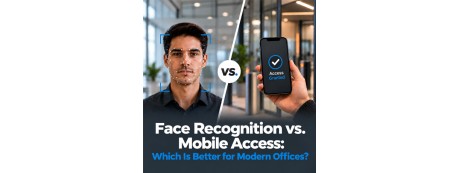
Quick answer: If your main goal is accurate staff attendance, buy a face recognition device: nobody can clock in for a colleague, and there's nothing to lose or forget. If your main goal is easy door access for changing staff, visitors or several branches, choose mobile access: you add and remove people from an app in seconds. For most Saudi offices, the best value is a hybrid terminal that does both, such as the ZKTeco SpeedFace-V5L series, which reads faces, cards, PINs and mobile QR codes on one device.
Key Takeaways
- A face recognition device proves the person is there. Mobile access proves their phone is there.
- For attendance and payroll, face recognition is the stronger buy.
- For visitors, flexible teams and multi-branch control, mobile access is the more convenient buy.
- Saudi Arabia's PDPL treats face data as sensitive personal data, so plan for employee consent and secure storage.
- You often don't have to choose: many modern terminals support face, card, PIN and mobile QR together.
Choosing a new attendance or door-access system used to be simple: you bought a fingerprint machine and mounted it at reception. Today the shelf is fuller. Touchless face terminals, Bluetooth readers, QR-code scanners and cloud apps all promise to make your office safer and your HR team's life easier. This buyer's guide cuts through the noise. It explains what each technology actually does, which one suits your type of business, and which specifications to check before you order.
Face Recognition vs Mobile Access: The Core Difference
Every other trade-off follows from one fact. A face recognition device identifies a human being. A mobile access reader identifies a phone. A face cannot be handed to a friend; a phone can. A phone, on the other hand, can be given access from anywhere in the world, while a face has to be enrolled in person.
What You Get With a Face Recognition Device
A face recognition terminal is a wall-mounted unit with a camera (often dual cameras), a screen and a built-in controller. Each employee is enrolled once. From then on, the device captures their face as they approach, checks it's a live person rather than a photo or video, matches it against its stored templates, and then opens the door, records an attendance punch, or both.
Recognition is fast. For its SpeedFace-V5L RFID and QR variants, ZKTeco's published datasheet lists facial verification in under 0.35 seconds and a facial false acceptance rate of 0.01% or less.
Why buyers choose it:
- Stops buddy punching: attendance records reflect who actually came to work.
- Nothing to carry: no cards to reprint and no forgotten phones.
- Touchless: hygienic for clinics, kitchens and busy entrances.
- Recognises masks on modern models.
- Snapshot records on many models, useful when disputes arise.
What to keep in mind:
- Every user must stand in front of the device once to enrol.
- Face data falls under stricter PDPL rules.
- Mount it away from strong sunlight behind the user at glass doors.
- It isn't ideal for one-day visitors.
What You Get With Mobile Access
Mobile access replaces the plastic card with a digital credential inside a smartphone app. The reader recognises the phone by Bluetooth, NFC or a dynamic QR code shown on the screen. The admin sends invitations, changes permissions and cancels access from a web portal or app.
Why buyers choose it:
- Add or remove staff remotely in seconds, ideal for high turnover or several branches.
- No card costs.
- Visitor passes by message: send a time-limited QR code before the meeting.
- Central cloud control across all locations.
What to keep in mind:
- A phone can be passed to someone else, so it's weaker for attendance.
- A flat battery or a phone left at home means no entry without a backup method.
- Some employees prefer not to use personal phones for work access.
- Some platforms charge per-user or subscription fees.
Side-by-Side Comparison
| Feature | Face Recognition Device | Mobile Access |
|---|---|---|
| Identifies | The person | The phone |
| Attendance accuracy | Excellent | Moderate |
| Hands-free entry | Yes | Usually phone in hand |
| Adding a new user | In-person enrolment | Remote invitation |
| Removing a user | Instant in software | Instant in app |
| Visitors | Less practical | Excellent |
| What staff must carry | Nothing | A charged phone with the app |
| Ongoing fees | Usually none | Often per-user or subscription |
| PDPL category | Sensitive data | Standard personal data |
| Best buy for | Attendance, payroll, secure rooms | General doors, visitors, multi-branch |
Which Should You Buy for Time Attendance?
Buy face recognition. An attendance system is only worth its price if HR can trust it, and face recognition is the method that can't be shared. That matters more in Saudi Arabia than many buyers expect:
- Overtime is paid at a premium under Saudi labour rules, so every inflated record costs money.
- Ramadan hours, split shifts and rotating rosters in retail, restaurants and healthcare need precise data.
- Branches in different cities can report to one cloud dashboard in real time.
- Payroll export to HR and ERP systems cuts month-end corrections.
Mobile attendance apps still make sense for drivers, sales reps and field technicians who rarely visit the office.
Which Is More Secure?
- Credential sharing: face recognition wins.
- Cloning: both beat old 125 kHz proximity cards, which are easy to copy.
- Fake faces: buy only devices with liveness detection (anti-spoofing) that reject photos, videos and masks.
- Lost credentials: mobile access is quicker to reissue.
For cash rooms, server rooms, pharmacies and safe rooms, combine two factors: face + card or face + PIN. Pairing a face terminal at the door with a quality safe inside is one of the most effective upgrades a business can make.
Saudi PDPL: What You Need Before Enrolling Faces
Saudi Arabia's Personal Data Protection Law, supervised by SDAIA, has been fully enforceable since September 2024. It classes biometric data as sensitive personal data. Before switching on a face system:
- Collect explicit, written consent from each employee.
- Offer a card or PIN alternative for anyone who declines.
- Store encrypted templates, not raw photos.
- Give access to the biometric database to as few admins as possible.
- Delete templates when an employee leaves.
- Prefer on-premises or in-Kingdom storage.
Mobile access mostly handles ordinary personal data such as names, phone numbers and logs, so its obligations are lighter.
General guidance only, not legal advice.
Buying Checklist: 10 Specs to Check Before You Order
- Verification methods: face only, or also fingerprint, palm, card, PIN and QR?
- User capacity: how many faces, cards and records does it store? Size for growth.
- Anti-spoofing: confirm liveness detection against photos, videos and masks.
- Mask recognition: essential for clinics and food businesses.
- Card frequency: 125 kHz EM or 13.56 MHz IC/MIFARE, matching your existing cards.
- Mobile support: does it read dynamic QR codes or Bluetooth credentials from an app?
- Connectivity: TCP/IP, Wi-Fi, and cloud platform support for multi-branch use.
- Door interface: lock output, exit button, door sensor and alarm input.
- Software: attendance reports, shift rules and payroll export.
- Warranty and local support: buy from a supplier who can install and service it in your city.
Which Device Fits Which Business?
| Business type | What to buy |
|---|---|
| Small office (up to ~50 staff) | One face recognition attendance terminal at the entrance |
| Growing company with several branches | Cloud-connected face terminals + central software |
| Co-working space or busy reception | Mobile/QR access + face for regular members |
| Exchange house, jewellery shop, cash office | Face + card on secure doors, plus a certified safe |
| Clinic, pharmacy, restaurant kitchen | Touchless, mask-capable face terminal |
| Warehouse or factory | Face or palm terminal (fingerprints wear and get dirty) |
| Field sales and technicians | Mobile attendance app with location check |
The Smart Buy: One Hybrid Terminal
You rarely need to pick a side. The ZKTeco SpeedFace-V5L series, for example, supports face, fingerprint or palm on selected versions, RFID cards, passwords and dynamic QR codes from a mobile app, and connects to ZKTeco's cloud platforms. One device can cover attendance at the entrance, quick card or phone access for staff, and QR passes for visitors, all in one database.
Why Buy From Gulfsafes
- Transparent, VAT-inclusive prices in SAR. What you see is what you pay.
- Easy payment with mada, Apple Pay and Tamara (split your payment).
- Genuine devices with manufacturer warranty.
- Expert advice before you buy, so you get the right model rather than the most expensive one.
- Delivery and installation in Riyadh, Jeddah, Al Khobar [ADD CITIES].
- One store for business security: face recognition and attendance devices, access control, safes, money counting machines and ID card printers.
Ready to upgrade your office?
Browse face recognition and time attendance devices at Gulfsafes, or message our team for a free recommendation.